

Only want to give a running survey more time? You do not need to deactivate it for that. Just change its end date, see How do I extend a running survey or end it earlier?
What happens when you deactivate a survey?
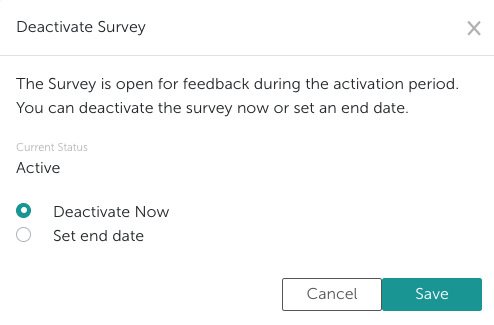
Deactivating deletes nothing. The responses collected so far, the survey’s participants and distribution lists, and all its settings are kept. If you activate the survey again later, you do not have to set anything up or upload anything again.- Deactivate now closes the survey immediately. If the result notification is switched on for the survey, it is not sent in that case.
- With Set end date, the survey stays open until the time you choose. It then closes and the result notification is sent as configured.
What happens when you activate it again?
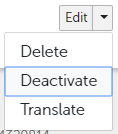
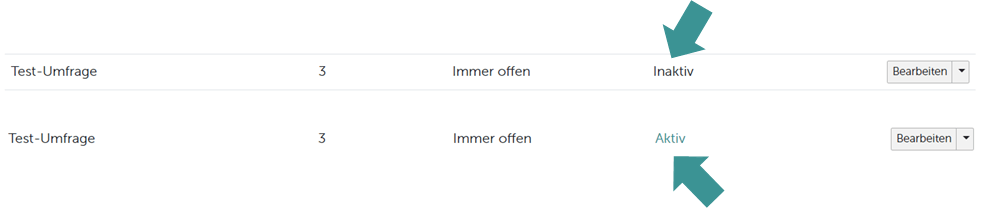
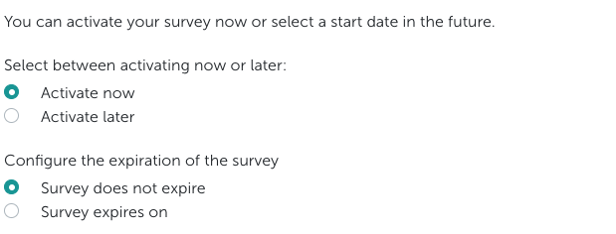
To activate an inactive survey, click the arrow next to Edit and choose Activate. With Activate now, the invitation goes out again right away; with Schedule for later, it goes out at the start time you choose. It is sent to everyone invited to the survey at that point, so any changes you made to the participants in the meantime are taken into account. If a one-time survey has already run before, you choose how to continue when activating it:
A recurring survey always starts a new period when you activate it again, and the invitation goes to everyone.
Responses from earlier periods are kept either way. To prepare a survey for another period, see How can I reopen a survey?
If Multiple answers allowed is switched on for the survey, everyone gets the invitation again, even with Extend last survey period. See How often can one person answer my survey?
Related articles
- How do I activate, deactivate or archive several surveys at once?
- How do I extend a running survey or end it earlier?
- How can I manage my existing surveys and what information can I see?
- How do I inform my employees about surveys? (Push notifications and our E-Mail function)
- How can I archive surveys which are no longer/not currently in use?