

As you know, anonymity is very important to us, generally you create an anonymity level which applies to your survey, in the standard case this is always 5, but now it may be the case that you survey 5 employees, but only 2 of them answered the open text field, so an evaluation would not be possible.
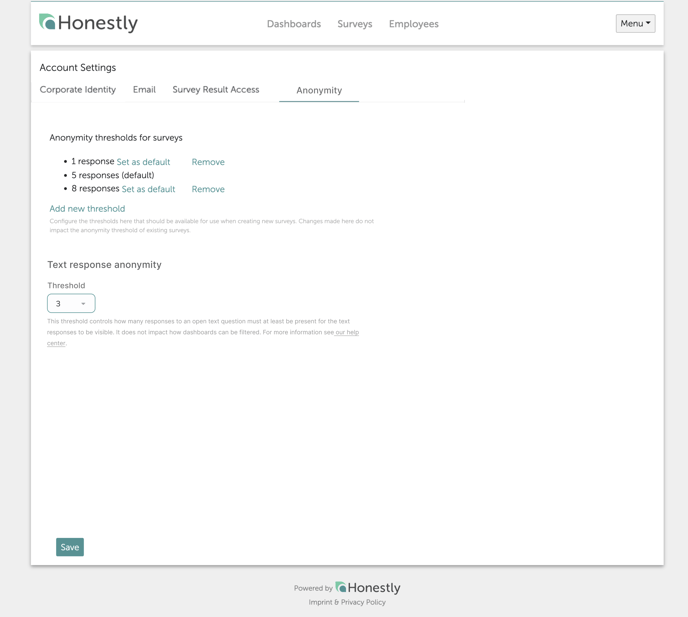
With our newly developed solution, you can still evaluate them. Navigate to your account settings and select the tab “Anonymity”.
In the upper part you will see the settings for your surveys, in the lower part you can set the settings for your open text answers.
- Manager with 1 team member
- Text anonymity threshold = 1
- Survey anonymity threshold = 5
- Manager with 5 team member
- Text anonymity threshold = 1
- Survey anonymity threshold = 5
Why open-text answers may still be missing
- Too few answers for that question. Both thresholds have to be met: the survey’s Anonymity threshold on the total number of responses, and the Text response anonymity threshold on that question. Results appear once the count is at least the threshold, not once it exceeds it.
- The question was skipped. If the open question is not mandatory, respondents can pass over it, and skipped answers do not count towards the threshold.
- The survey has no dashboard. If the dashboard was deleted, there is nothing to display the data until you create a new one. No responses are lost — see What is a dashboard and how do I create a new one?
The Topics area is not a way around this. It applies exactly the same two thresholds as the dashboard, so it hides exactly the same answers.
What the raw data export does and does not show
A raw data export from the Exports section lists one row per submission, without any respondent identity. It ignores the per-question Text response anonymity threshold, so open-text answers can appear there that the dashboard leaves out.Anonymity and data masking are separate settings. The anonymity threshold decides whether an open response is shown; data masking removes personal data from inside a response that is shown. See Data masking.