

Using the Chat to Engage with Open Text Feedback
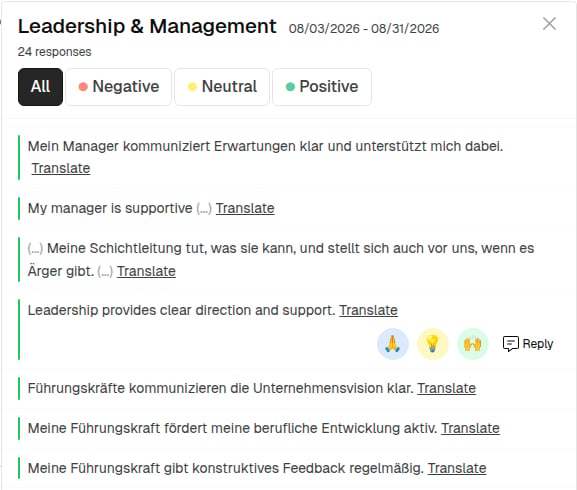
The Chat feature allows Admins, Managers, and Analysts to engage in a two-way conversation with employees who submitted open text responses in surveys. It helps build trust, gain deeper insights, and show appreciation — all while preserving employee anonymity. The chat sits on the dashboard, on the response itself: wherever an open text response is shown — in a Text chart, a Bubble Chart or a Topic Trend Analysis — you reply right there, without leaving the dashboard.What Is the Chat For?
The Chat enables users to:- Thank employees for their feedback.
- Ask for further clarification or input.
- Start a meaningful exchange to act on valuable insights.
Who Can Use the Chat?
- Admins: Can initiate and participate in any chat.
- Managers & Analysts: Can initiate and participate in chats on responses they have permission to view.
- Employees: Receive a notification via email and can choose to respond anonymously.
How Does It Work?
For Users (Admins, Managers, Analysts):
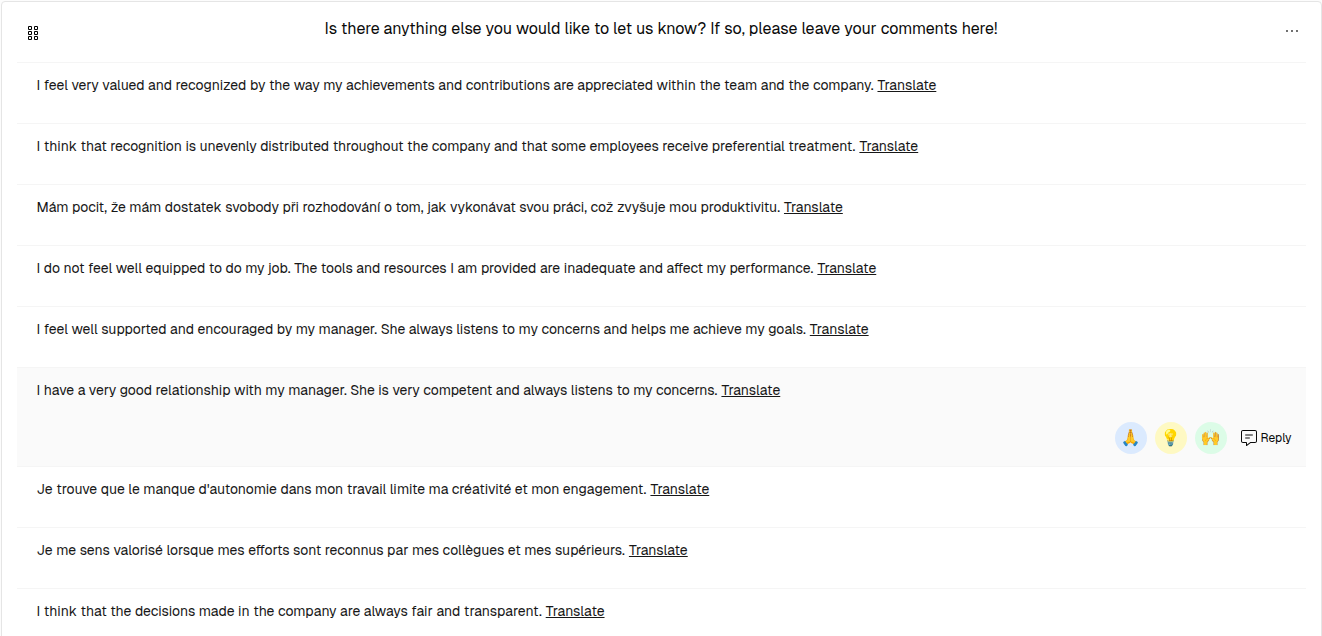
- Open a dashboard that contains a Text chart, and find the response you’d like to follow up on.
- Move the pointer over the response. Three quick reactions and a Reply button appear at the end of the row.
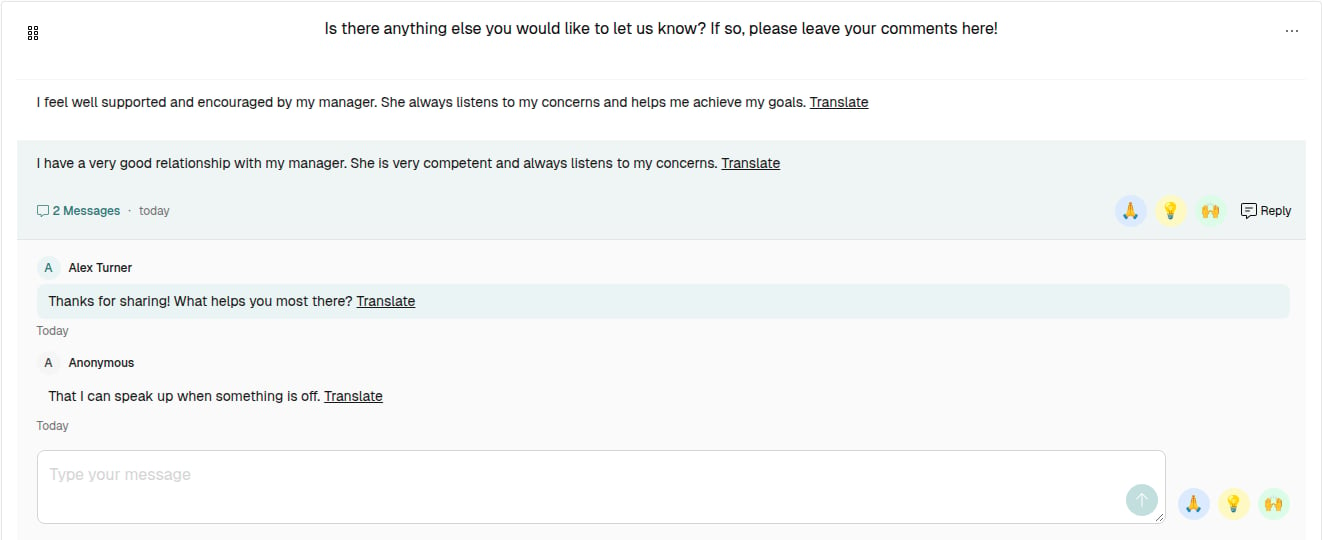
- Click Reply. The conversation opens directly beneath the response. Or pick one of the three quick reactions straight away — the emoji buttons stand for 🙏 Thank you for sharing, 💡 Good point and 🙌 Glad to hear it. A quick reaction does not send anything on its own: it opens the conversation and writes that sentence into the message box, so you can add to it first. The same three sit next to the message box inside the open conversation.
- Write your message in the message box and send it with the round send button inside it. Whatever the employee writes back appears in the same conversation, as Anonymous.
- Clicking the row or Reply again collapses the conversation. The dashboard stays open throughout.
For Employees:
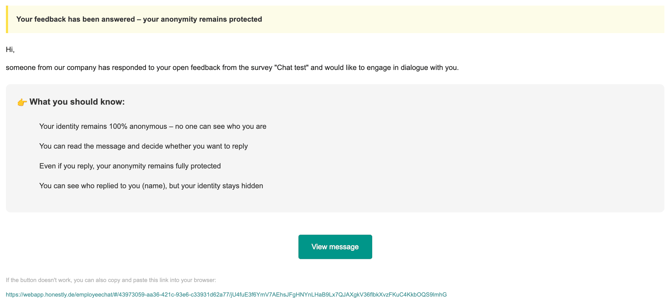
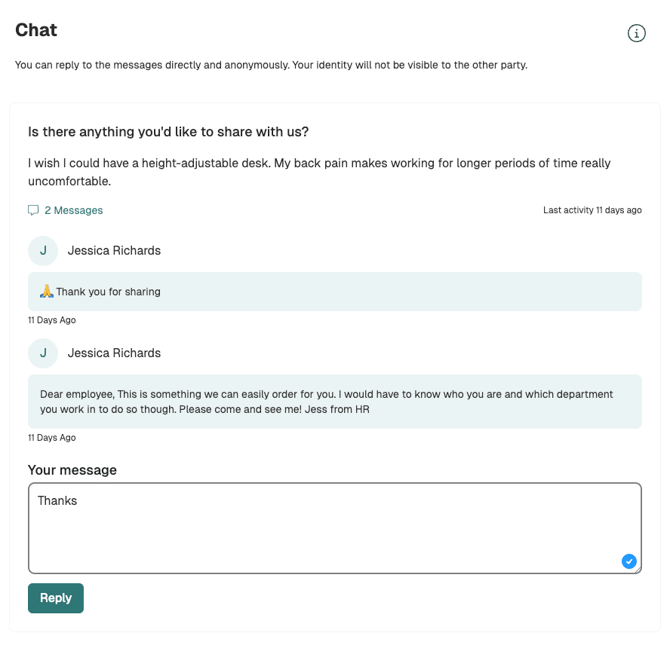
- You’ll receive an email notification (no login required) with a subject line such as this: “Response to your feedback from the survey “Test 1”.
- The email contains a secure link to an anonymous chat interface.
- Employees can respond freely and continue the conversation if they choose.
How Is Anonymity Protected?
- The employee’s identity remains completely hidden throughout the conversation.
- They access the chat through a secure tokenized link (no user access to the Honestly app required).
- The users (Admins/Managers/Analysts) cannot see who responded — only that there was a reply.
- No data that is tied to an employee is available in the chat.
Things to Keep in Mind
- There are no character limits or time restrictions.
- The chat remains open-ended — messages can be sent back and forth anytime.
- Chats cannot be exported or tracked beyond what is visible in the thread.
- You find conversations where the response is: on the dashboard, in the chart it belongs to. To work through the responses still waiting for an answer, open the dashboard that shows them and look for the rows without a message count.
- When an employee replies you are not notified, and nothing marks the row. Look back into the conversations you started from time to time. In the other direction, every message you send reaches the person who wrote the feedback as an email.
- The print view of a dashboard hides the conversations and the reply options, so an export shows only the responses.
Best Practices for Writing Messages
- Start with appreciation: _“Thanks for your feedback!”
- Ask open-ended questions: _“Could you tell us more about what would have helped in that situation?”
- Be clear and respectful: _“We’re working on improving X — your input is valuable.”