

In short: what happens to your answers?
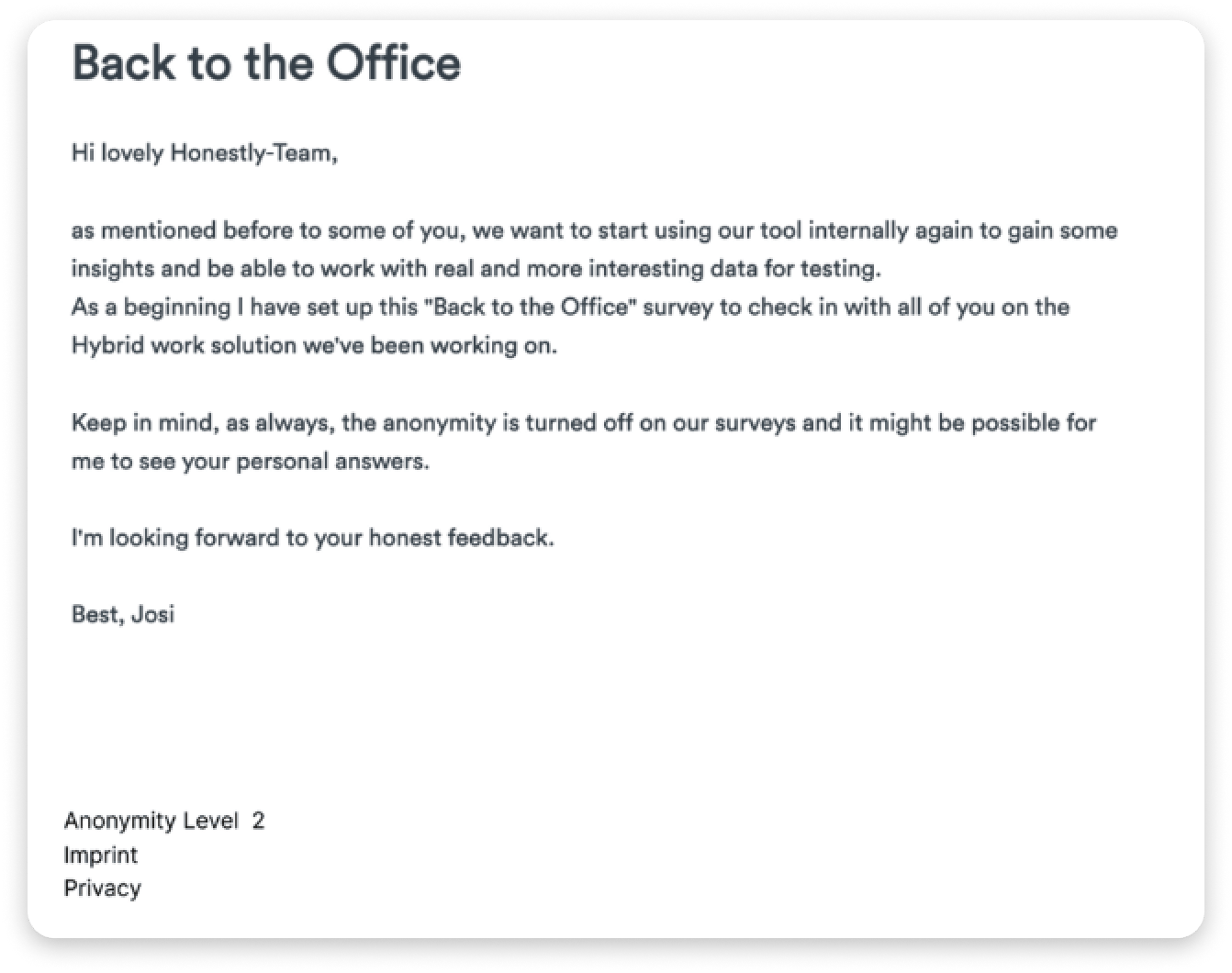
Your manager never sees your answers with your name next to them. Results only appear once enough people in a group have responded – the survey’s anonymity threshold sets how many that is. Groups that are too small are not shown on their own; they are merged with other small groups into a group called “others”. Your free-text answers are shown without your name, and they have their own minimum number of text responses. Nobody can filter by individual people. On the start page of the survey you’ll see its Anonymity level:- Level 3: results only appear from at least 5 responses, free-text answers only from at least 3 text responses.
- Level 2: results appear from at least 2 responses – your company has set the exact number.
- Level 1: results are visible from a single response. This is meant for surveys such as onboarding, exit or 360° Feedback, which could not be evaluated otherwise.
For admins and HR: background
Maintaining the anonymity of participating employees is essential to enable open feedback. The processing of personal data, for group-based distribution and evaluation of surveys (e.g. by department) takes place in such a way that the data can no longer be assigned to a specific person without the addition of additional information. This additional information is stored separately and is subject to appropriate technical and organizational measures. Detailed information on guaranteeing data security and anonymity of all results are also defined in the contract for commissioned processing, which is concluded between Honestly and the client at the beginning of the cooperation. Based on this, limitations in the filtering method and function preserve anonymity even when combining many and detailed filters within the application. The anonymity limit is ensured by the functionality of the evaluation software, especially by the filters, and is not done manually.- Feedback from individual persons is not displayed with the name of the person giving the feedback.
- The evaluation of Honestly works depending on the set anonymity limits.
- Filters in the system also reflect the anonymity limit per survey.
- It is not possible to filter for individual persons by names.
The three anonymity levels
At Honestly we distinguish between 3 different levels. Level 3: Attributes and results can be evaluated with 5 or more feedbacks in the system, depending on the settings of the admin. This level is especially recommended for larger teams, because you need several data sets to analyze the data. Level 2: Attributes and results can be evaluated from 2 feedbacks in the system, depending on the settings of the admin. This level is recommended especially for smaller teams, with which otherwise the evaluation would not be possible. Level 1: Attributes and results are already displayed on the dashboard from one feedback. This is especially important for onboarding, exit or 360 surveys, otherwise no evaluation can take place. Which level a survey shows follows from the combination of its Anonymity threshold and its Text response anonymity:
A survey only reaches Level 3 when both values are high enough: an anonymity threshold of at least 5 and a text response anonymity of at least 3. Otherwise it is Level 2 as long as the anonymity threshold is at least 2. Only an anonymity threshold of 1 gives Level 1.
So an anonymity threshold of 4 with a text response anonymity of 1 gives Level 2, and so does an anonymity threshold of 4 with a text response anonymity of 3. An anonymity threshold of 5 with a text response anonymity of 2 also leads to Level 2.
The text response anonymity can never be higher than the survey’s anonymity threshold. A higher value is automatically capped at the anonymity threshold.
How do the Honestly evaluation filters work and how is anonymity ensured here?
Level 3
Surveys that have a response limit of 5 or more responses and a text response anonymity of at least 3 set will be marked as Level 3 in our system. The following example contains the response limit 5: Groups that contain less than five feedbacks are merged into a common group “others”. This group then bundles all feedbacks from groups that have less than five feedbacks, as well as feedbacks with empty group values. However, to increase anonymity, the “others” group must also reach the anonymity threshold of five. If it does not do so yet, the smallest group that is still displayed is included in the “others” group. The aggregation is dynamic. That is, when one filter is set, the other available filters adjust so that anonymity is always preserved. Example A: Feedbacks with these group values have been received in “Department” (number of feedbacks in parentheses):- IT (18)
- Finance (12)
- HR (87)
- Customer Serv (12)
- Corporate (4)
- Supplies (4)
- HR
- IT
- Finance
- Customer Serv
- others
- IT (18)
- Finance (12)
- HR (87)
- Customer Serv (12)
- Corporate (3)
- Supplies (1)
- HR
- IT
- Customer Serv
- others
- Male (12)
- Female (8)
- Male
- Female
- Male (16)
- Female (3)
- Others
Level 2
Surveys which have a response limit of 2 or more responses set will be marked as Level 2, unless they meet the conditions for Level 3. The following example contains the response limit 3: Groups that contain less than three feedbacks are merged into a common group “others”. This group then bundles all feedbacks from groups that have less than three feedbacks. However, to increase anonymity, the “others” group must also reach the anonymity threshold of three. If it does not do so yet, the smallest group that is still displayed is included in the “others” group. The aggregation is dynamic. That is, when one filter is set, the other available filters adjust so that anonymity is always preserved. Example A: Feedbacks with these group values have been received in “Department” (number of feedbacks in parentheses):- IT (18)
- Finance (12)
- HR (87)
- Customer Serv (12)
- Corporate (2)
- Supplies (1)
- HR
- IT
- Finance
- Customer Serv
- others
- IT (18)
- Finance (12)
- HR (87)
- Customer Serv (12)
- Corporate (1)
- Supplies (1)
- HR
- IT
- Customer Serv
- others
- Male (12)
- Female (8)
- Male
- Female
- Male (16)
- Female (2)
- Others
Level 1
Surveys which have a response limit of 1 response set will be marked as Level 1. The following example contains the response limit 1: Groups containing less than 1 feedback will not be displayed. Example: Feedbacks have been received with these group values in “Department” (number of feedbacks in parentheses):- IT (18)
- Finance (12)
- HR (87)
- Customer Serv (12)
- Corporate (1)
- Supplies (0)
- HR
- IT
- Finance
- Customer Serv
- Corporate