What is a dashboard?
In this section, you can decide which survey results are important to you and which aren’t by creating personalised dashboards. Either create one for each feedback form or combine various forms on one dashboard.How do I create a new dashboard?
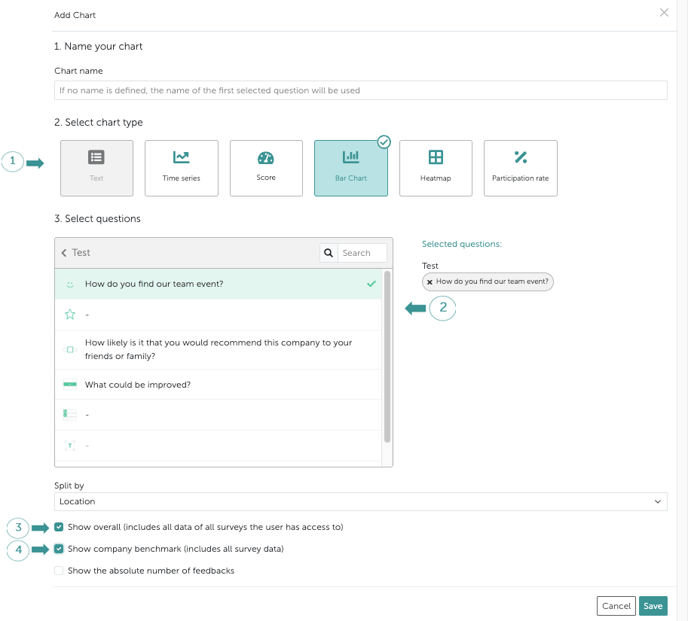
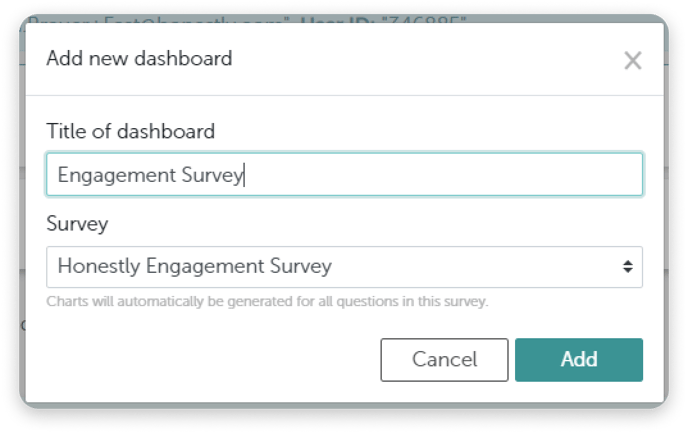
First click on “Add dashboard” (top right). A window will appear where you can give the dashboard a name and choose which survey to use as its information source.
Comparison of Data
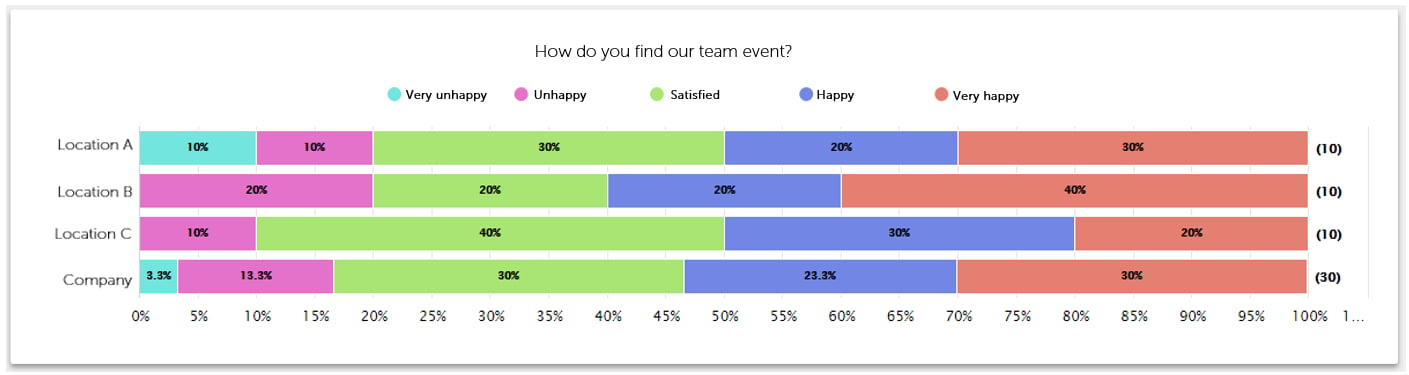
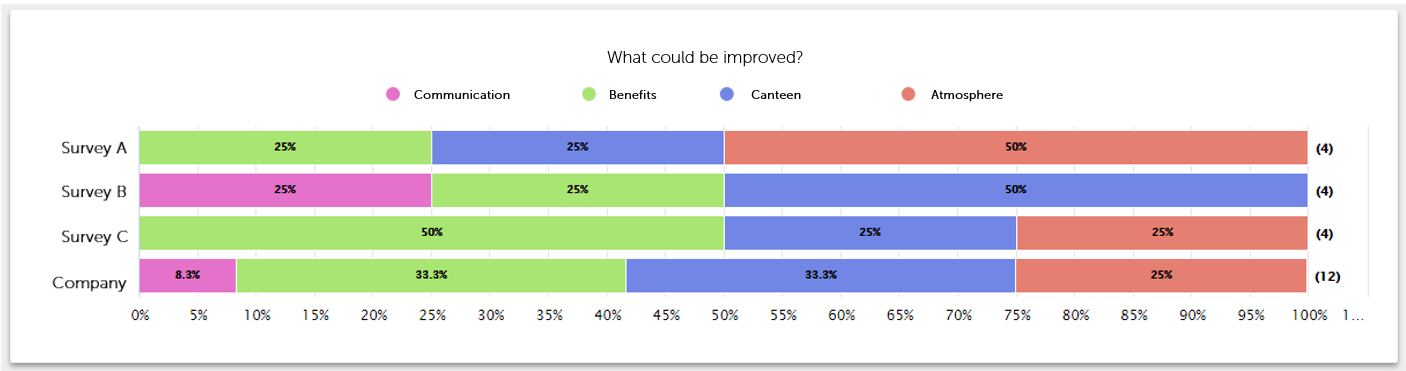
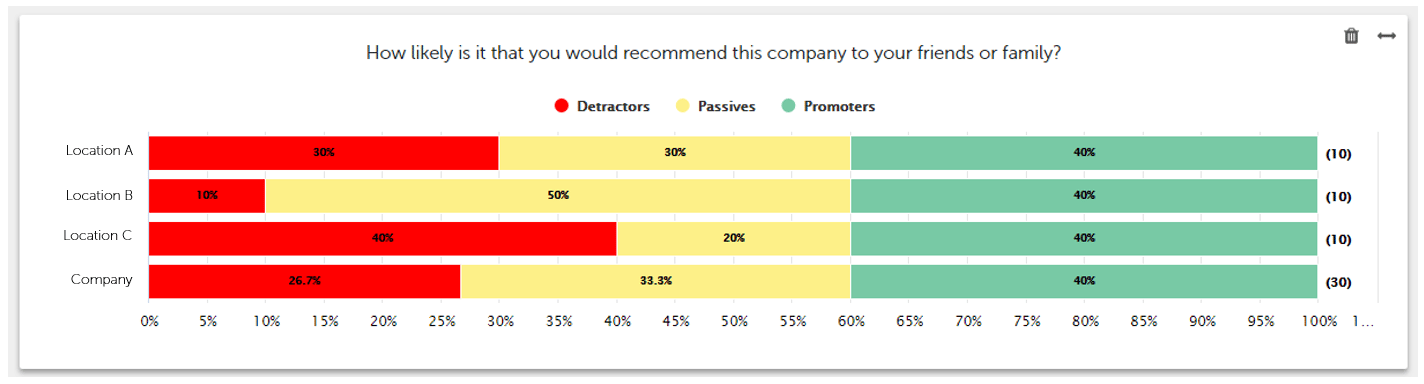
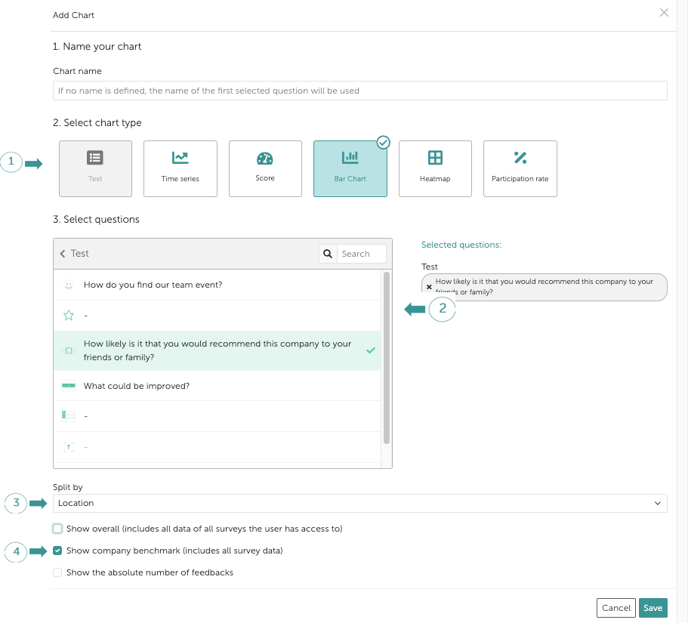
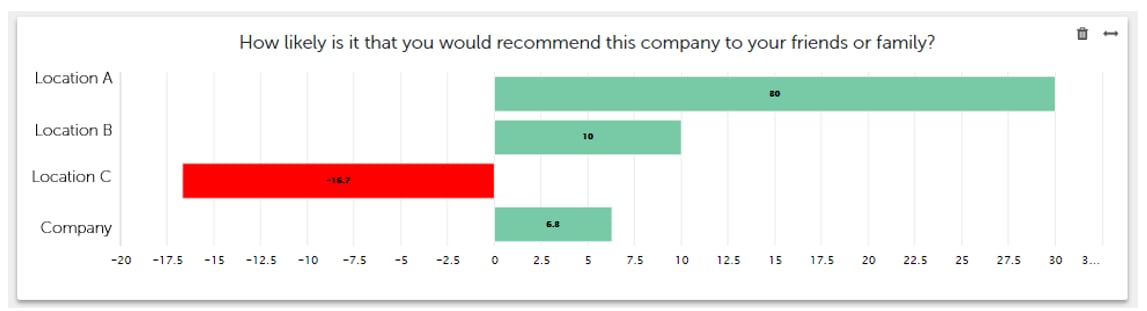
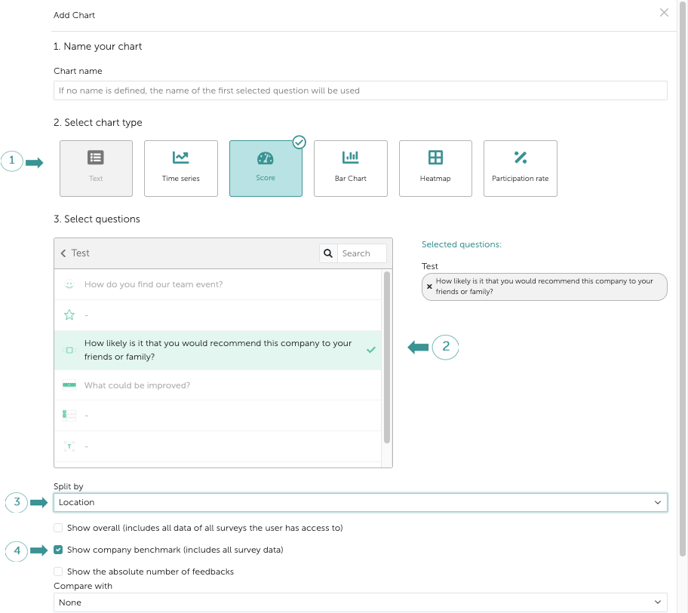
It is possible to compare the results of several employee groups for example “Location” or “Department” in the dashboard. All results can also be compared to the company’s benchmark as shown below. Displaying data from Smiley questions: