

- Charts “History” and “Bar chart” won’t be supported for now.
- Only Admins can activate the “Compare with” function.
- For user roles “Analyst” and “Manager” the function is disabled.
- Only possible with custom surveys
 The values used for the comparison category are derived from the employee information entered in the system for the accessing user.
Example :
The values used for the comparison category are derived from the employee information entered in the system for the accessing user.
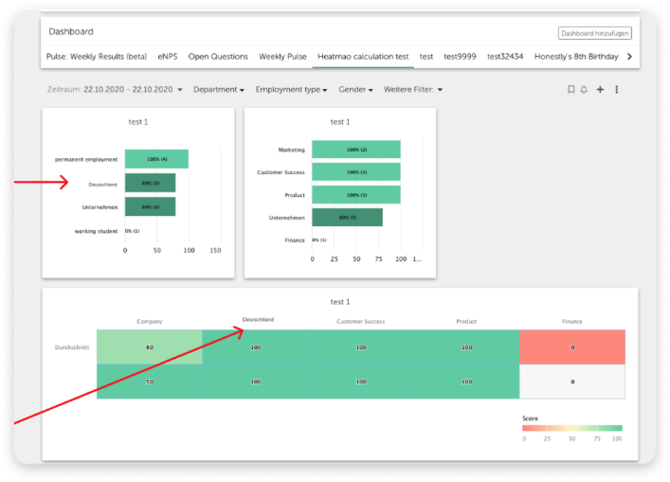
Example :If “Country” is entered in the chart under “Comparisons with”, a person from Germany will see both the company benchmark and the Germany benchmark, even if he does not have access to all data. If “Austria” is entered in the “Country” field of your data set, you will see the company benchmark as well as the Austria benchmark. After a successful configuration, the chart will adapt to the attributes of the respective employee.
Related articles
- How do I create a heatmap?
- Heatmaps and Dimensions: What are the best practices at the different attribute levels?
- How can I compare the results of different employee groups in my dashboard?
- How Do I Compare Survey Results with External Benchmarks in Heatmaps?
- How Do Reporting Structures and Data Permissions Work in Honestly?