Understanding Attribute Logic: How Filters Define Your Recipient List
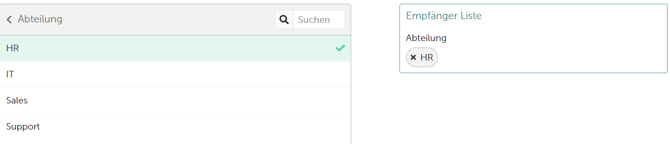
When configuring your recipient list under “Distribution,” it’s important to understand how attribute filters work to ensure your survey reaches precisely the right employees. The attributes you uploaded—such as department, team, or location—serve as defining criteria for your survey’s audience. Important Note on Attribute Linking: If you select multiple attributes (for example, “Department” and “Location”), they are always connected by an AND logic. This means that only employees who match all the selected criteria at once will be included in your recipient list. Within a single attribute, you can select multiple values (e.g., both “Berlin” and “Hamburg” locations); in this case, these choices are joined by OR logic—employees meeting at least one selected value are included. Example 1: If you only want to survey the group working in the HR role, go to “Distribution,” select the “Department” attribute, and then click on “HR.” This will look as follows.