> ## Documentation Index
> Fetch the complete documentation index at: https://help.honestly.com/llms.txt
> Use this file to discover all available pages before exploring further.
# How do I translate an email?
> To be able to translate your emails, the entire survey must first be translated into the desired language.
To be able to translate your emails, the entire survey must first be translated into the desired language. See [here](/help/surveys/translate-survey)
Once you have translated your survey into the languages you want, you will need to manually translate the email texts.
To do this, go to the email settings and select the desired target language from the dropdown menu. Then, add the email texts you have translated Example: Switching to German
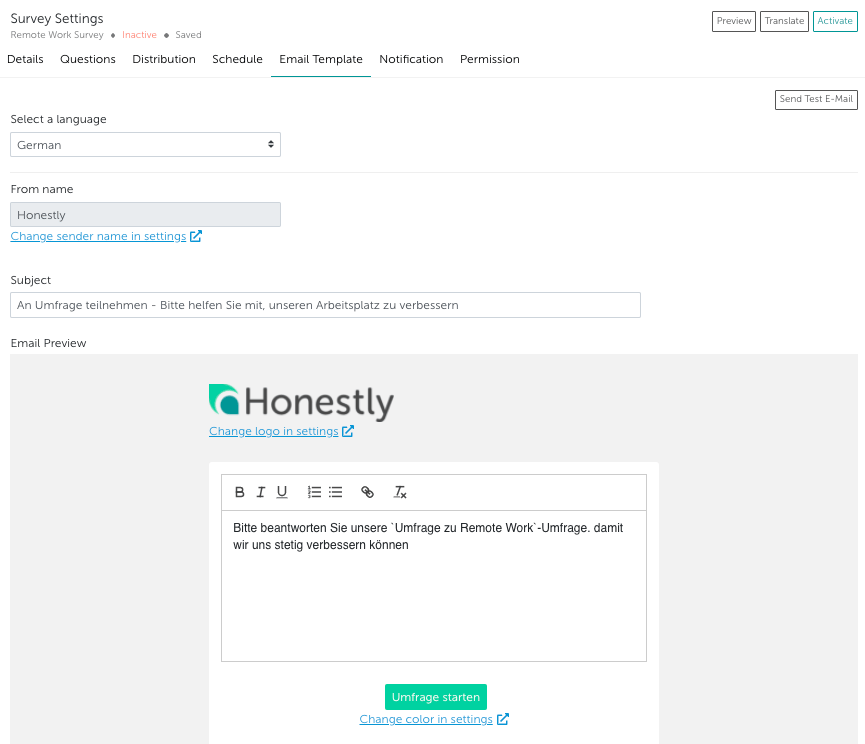 Once all email texts are entered and you activate the survey, the email will automatically be sent to your employees in the correct target language, provided the correct language is set in the employee attribute.