> ## Documentation Index
> Fetch the complete documentation index at: https://help.honestly.com/llms.txt
> Use this file to discover all available pages before exploring further.
# Branching of questions
> How do I branch questions correctly and what do I gain from branching?
How do I branch questions correctly and what do I gain from branching?
If you want to get more information about a question if the answer is negative, you can ask the employee a follow-up question by branching the answer. In this question you can ask why the employee is dissatisfied or what you have to adjust from the employee's point of view to make him more satisfied.
To create a branching question, several steps are needed in the creation of your questionnaire
Create a question such as.
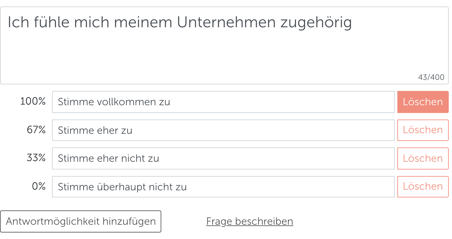 Without branching you would get one of the 4 answers without any further information, if you want to have more information if the MA answers with "Rather disagree" use a rule that will prompt the MA to a follow-up question.
To do this create another question as an "open text field" like in this example
Without branching you would get one of the 4 answers without any further information, if you want to have more information if the MA answers with "Rather disagree" use a rule that will prompt the MA to a follow-up question.
To do this create another question as an "open text field" like in this example
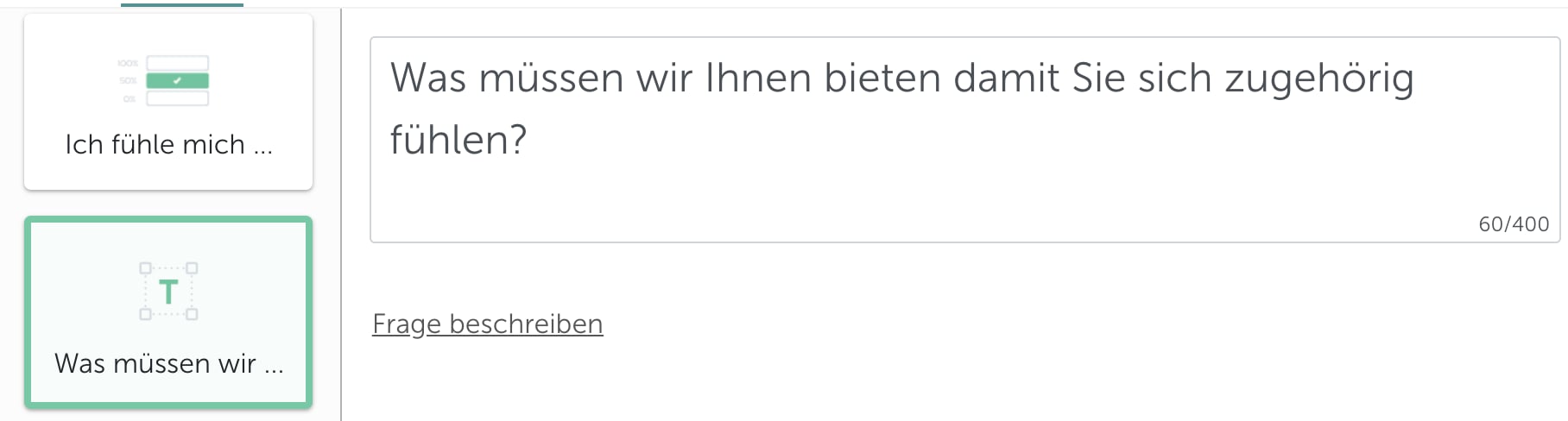 Now go back to the question you asked before and activate the branch
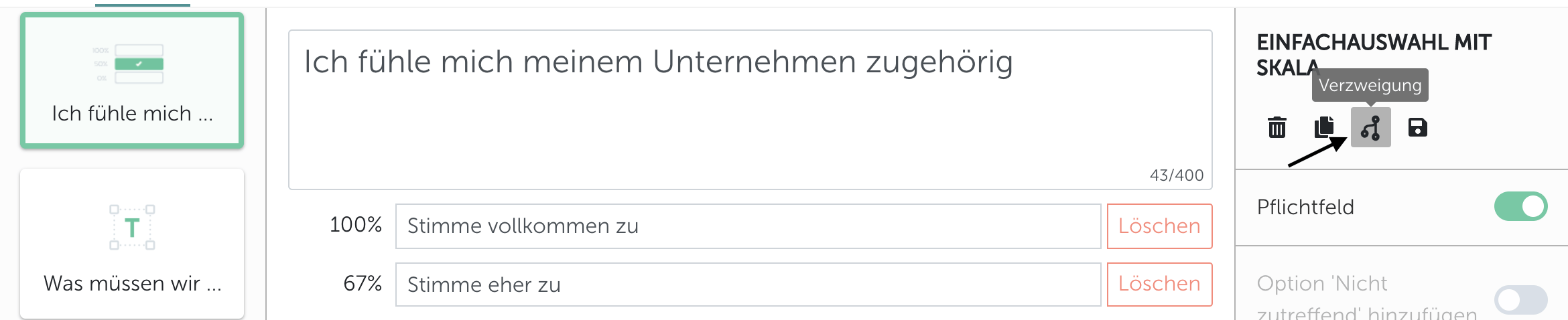 Use the "Branch" option, an overlay will open
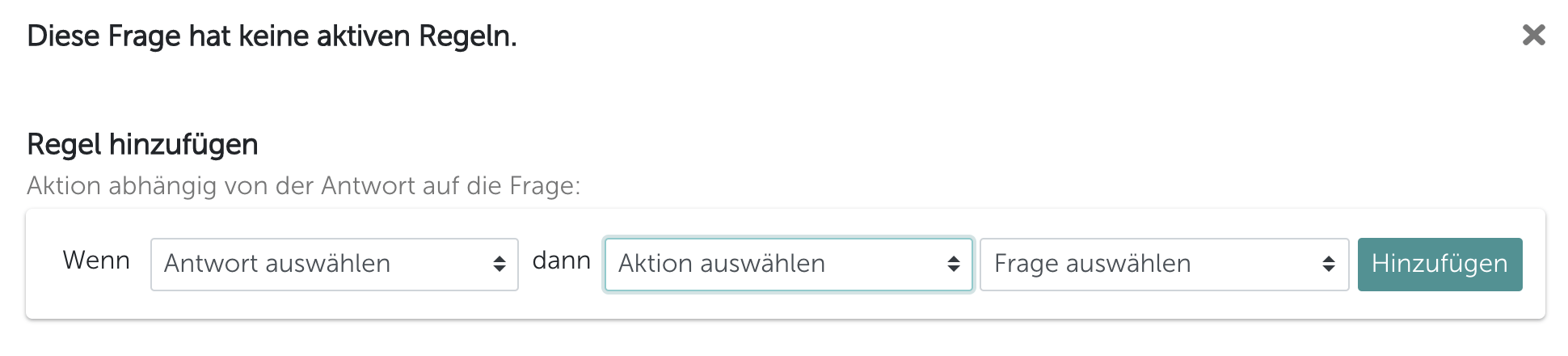 In this step you select an answer option under the item "If" here you get the answer options of the question asked displayed in this case\
Agree completely, Agree rather, Disagree rather, Disagree not at all
"Then" select what should trigger which answer in this example " Don't agree at all", the MA should get the question "What do we have to offer you so that you feel you belong?" displayed.
The finished rule should then look like this:
In this step you select an answer option under the item "If" here you get the answer options of the question asked displayed in this case\
Agree completely, Agree rather, Disagree rather, Disagree not at all
"Then" select what should trigger which answer in this example " Don't agree at all", the MA should get the question "What do we have to offer you so that you feel you belong?" displayed.
The finished rule should then look like this:
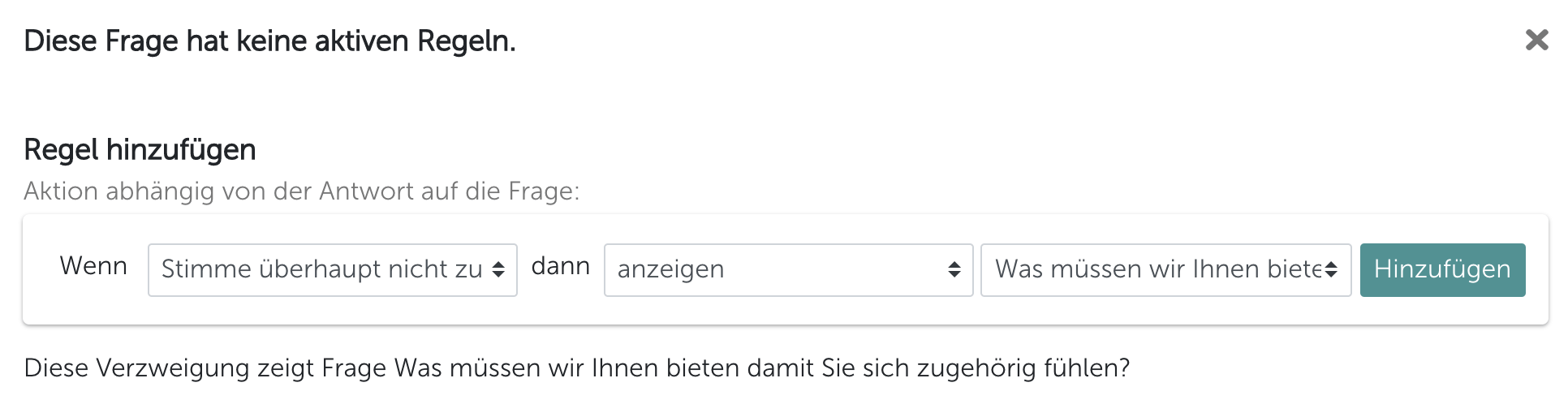 In the final step, click on "Add", this will assign the new rule to the question.
Branched questions are visually displayed in the overview.
In the final step, click on "Add", this will assign the new rule to the question.
Branched questions are visually displayed in the overview.
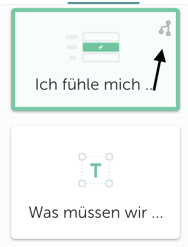 Done, you have now successfully completed all the steps.
What is the advantage of branching questions?\
The advantage is that your employees now have the opportunity to provide you with further information about why they are very satisfied, for example, or why they are not satisfied.\
For you and your company, both pieces of information are very important and give the employee another chance to anonymously tell you how they feel or what they are feeling at to rate you positively.
Done, you have now successfully completed all the steps.
What is the advantage of branching questions?\
The advantage is that your employees now have the opportunity to provide you with further information about why they are very satisfied, for example, or why they are not satisfied.\
For you and your company, both pieces of information are very important and give the employee another chance to anonymously tell you how they feel or what they are feeling at to rate you positively.