> ## Documentation Index
> Fetch the complete documentation index at: https://help.honestly.com/llms.txt
> Use this file to discover all available pages before exploring further.
# How can I add branches to my survey questions?
> What are branches and how can I add them to my survey?
#### What are branches?
Branches are used to conditionally display certain questions depending on the answers of previous questions. For example, a question like "Why were you unhappy?" should only be displayed, if the previous question was answered with "unhappy" or "quite unhappy".
#### Creating branches
1\. To branch a question, first go to the **Surveys** section and click on "Edit" to the right of the survey you would like to add the branches to.
Next, click on **Questions** , select the question on the left which you would like to add the condition to,
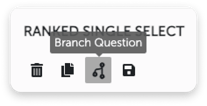
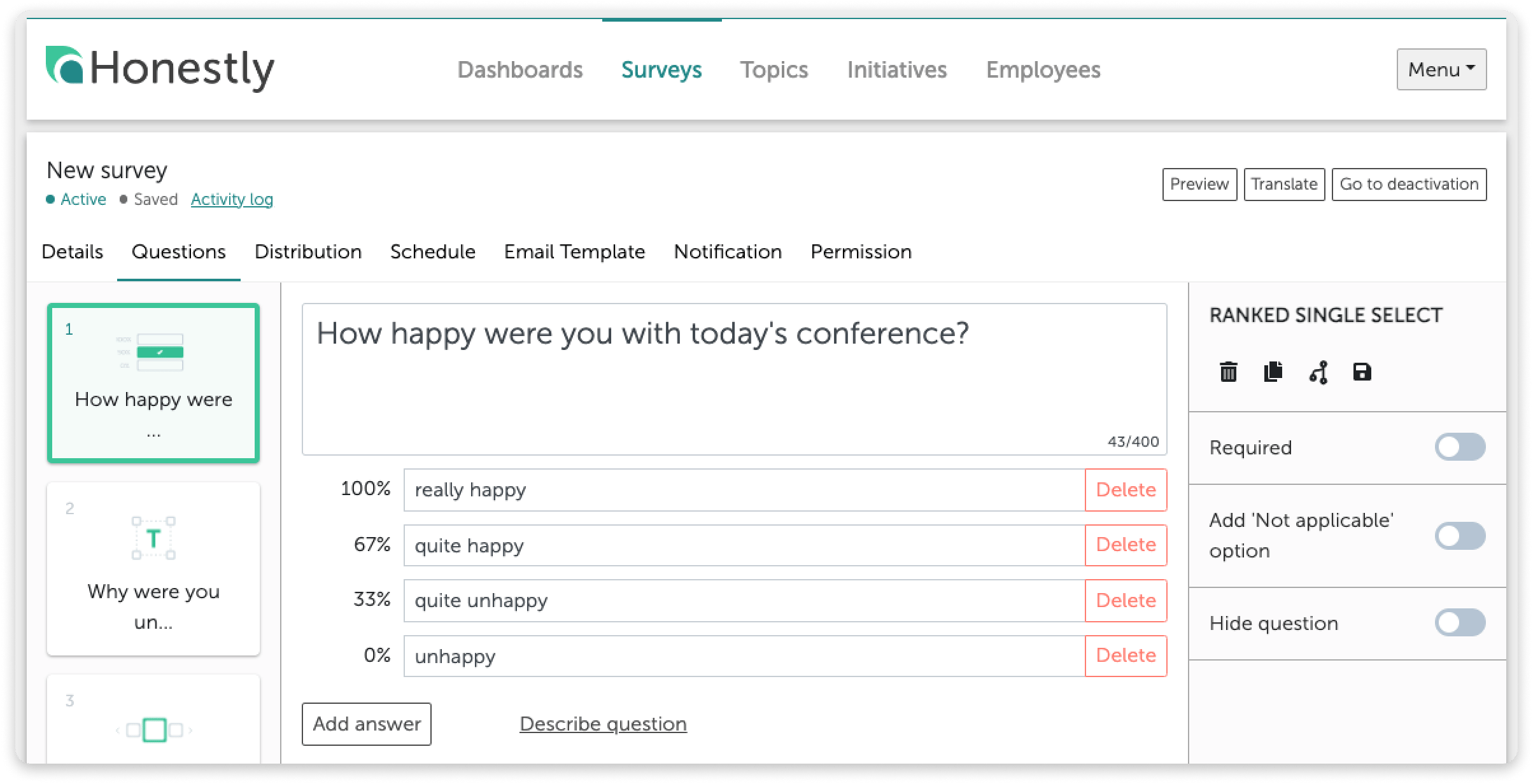 and then click on the **Branch Question** symbol from the options on the right of the question:
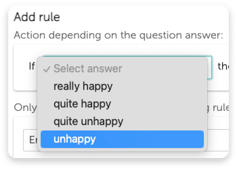
 2\. Select which answer you would like to add the branch to. For example, you may want to only ask a follow-up question about what could be improved if the worst answer was selected.
 **Caution:**
The follow-up question must be placed directly after the main one and cannot be branched itself.
3\. Choose which kind of branch you would like to add:
**Caution:**
The follow-up question must be placed directly after the main one and cannot be branched itself.
3\. Choose which kind of branch you would like to add:
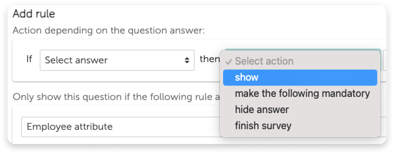 You can choose to show the next question, as shown in this example, but also to hide a particular answer in the next question, to make the following question mandatory or to end the survey completely, depending on the answer which is selected.
4\. Select the follow-up question(s) for which the branching is to take effect. The prerequisite for this is that follow-up questions have already been created. In a follow-up question, you could, for example, ask for a reason for the previous answer or, more generally, for suggestions on how to improve:
You can choose to show the next question, as shown in this example, but also to hide a particular answer in the next question, to make the following question mandatory or to end the survey completely, depending on the answer which is selected.
4\. Select the follow-up question(s) for which the branching is to take effect. The prerequisite for this is that follow-up questions have already been created. In a follow-up question, you could, for example, ask for a reason for the previous answer or, more generally, for suggestions on how to improve:
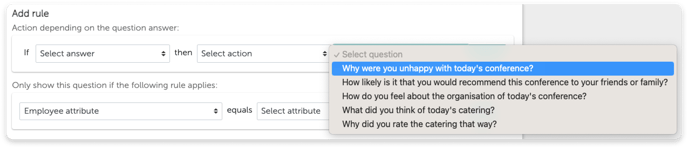 **Making questions only visible to certain employee attributes or survey properties**
If, for example, you have a question that you would only like to ask the IT department, you can use the branching function to do so.
Just select whether it is an **employee attribute** or **survey property** that you would like to choose from. Then select exactly which one of these should see the question. Then click **Add**.
Now this question will only be visible to the chosen group and not everyone participating in the survey.
**
**Making questions only visible to certain employee attributes or survey properties**
If, for example, you have a question that you would only like to ask the IT department, you can use the branching function to do so.
Just select whether it is an **employee attribute** or **survey property** that you would like to choose from. Then select exactly which one of these should see the question. Then click **Add**.
Now this question will only be visible to the chosen group and not everyone participating in the survey.
** **
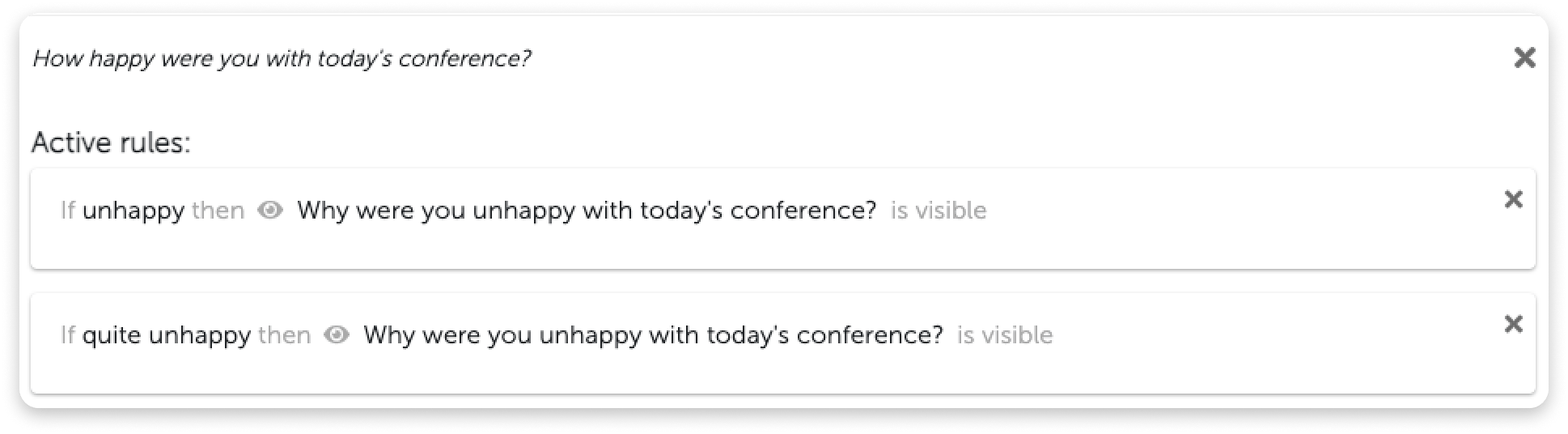
5\. To save the branch, click **Add**. The branch will be listed below.
**
5\. To save the branch, click **Add**. The branch will be listed below.
 **Deleting branches**
If you would like to delete a branch, click on the cross on the right of that branch.
To close the branching window and return to the questions, click on the big cross on the top right, above all the conditions.
**Deleting branches**
If you would like to delete a branch, click on the cross on the right of that branch.
To close the branching window and return to the questions, click on the big cross on the top right, above all the conditions.
 **How to recognise a branch**
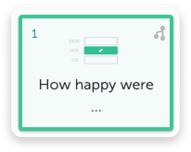
In the overview of all questions, you will see the branch symbol appear in the top right corner if a branch has been added to a question.
**How to recognise a branch**
In the overview of all questions, you will see the branch symbol appear in the top right corner if a branch has been added to a question.
 6\. To ensure the branches have been implemented correctly, click on **Preview** , on the top right of your screen, to test them and see the survey as an employee would.