> ## Documentation Index
> Fetch the complete documentation index at: https://help.honestly.com/llms.txt
> Use this file to discover all available pages before exploring further.
# How can I register with Honestly via SSO?
> ”SAML - based single sign-on can be used to grant users access through an identity provider (IDP) of the client's choice.
”SAML - based single sign-on can be used to grant users access through an identity provider (IDP) of the client's choice. **This option is** **available to Enterprise Customers only and can be configured by admins**
#### Honestly: Service provider (SP)
| Item | Description |
| ------------------ | ------------------------------------------------------------------------------------------------------------ |
| Name | Honestly |
| Integration option | SAML 2.0 |
| Logo | [https://www.honestly.com/images/logo-transparent.png](https://www.honestly.com/images/logo-transparent.png) |
| Time synchronised | Europe/Berlin |
| NameId | EmailAddress |
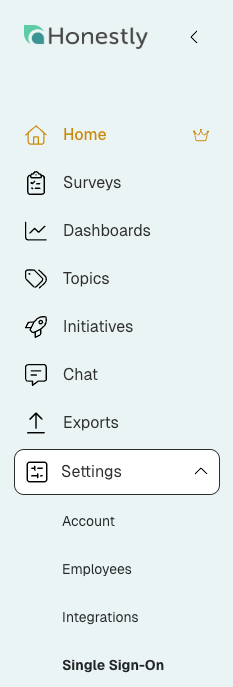
**1. Click on: "Settings" and then on "Single Sign-On"**
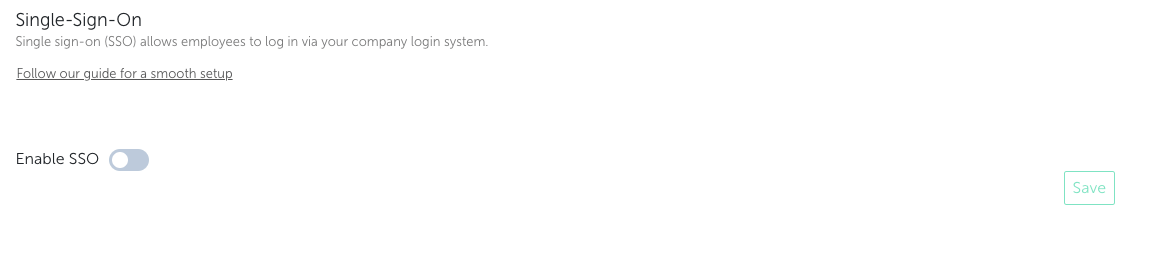
 **2. Now you can enable "SSO"**
 **3. Enable SSO**
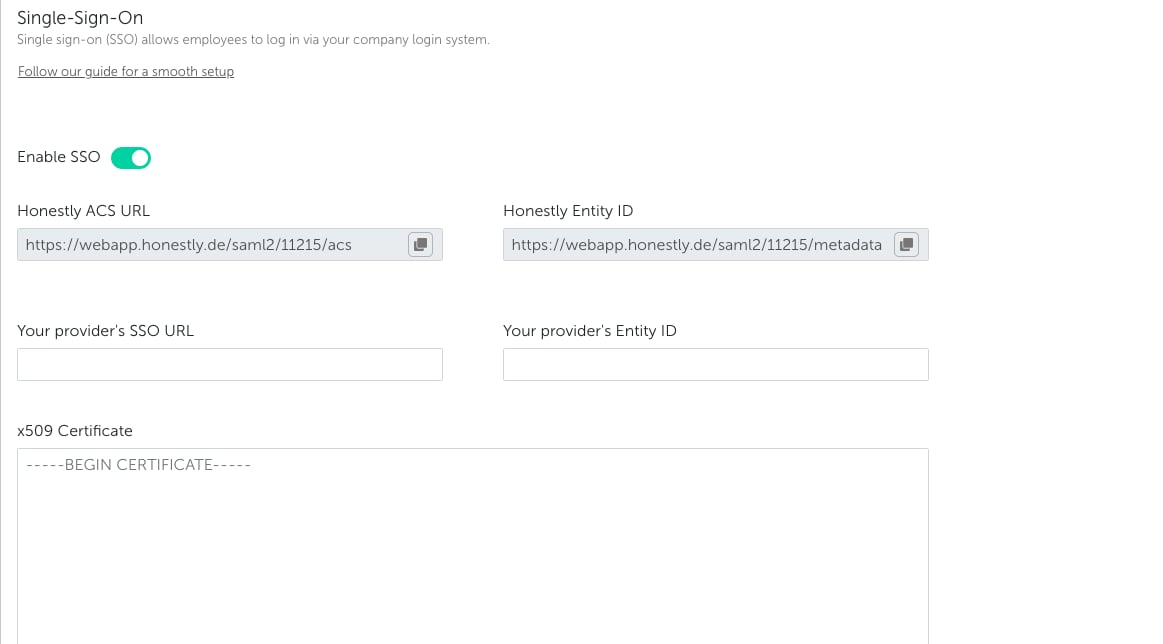 **4. Get all Information you need:**
* * Honestly ACS URL
* Honestly Entity ID
**4. Get all Information you need:**
* * Honestly ACS URL
* Honestly Entity ID
 **5. Share your Information within the Honestly Account**
* * SSO URL
* Entity ID
* * x509 Certificate .pem (base64 encoded)
**5. Share your Information within the Honestly Account**
* * SSO URL
* Entity ID
* * x509 Certificate .pem (base64 encoded)
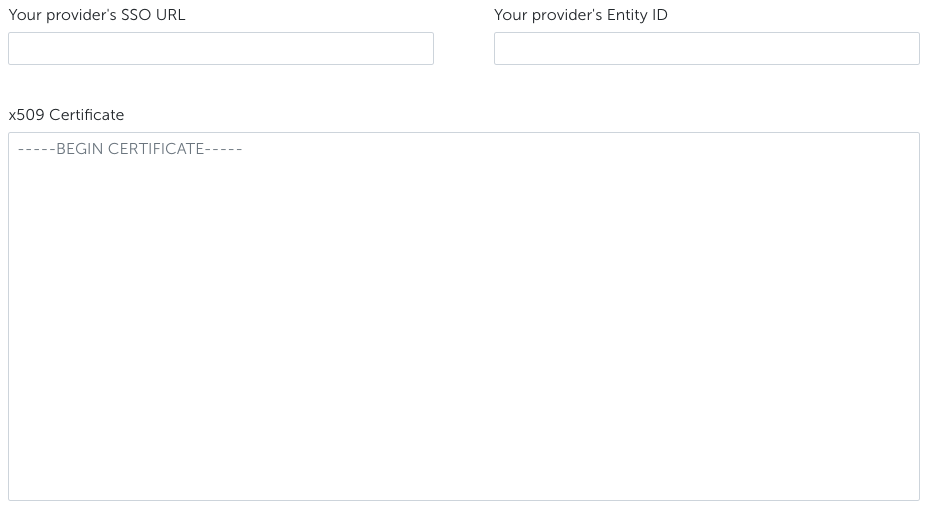 Please do not forget to start with: -----BEGIN CERTIFICATE-----\*\*
Please do not forget to end with: -----END CERTIFICATE-----
**6. Click on "SSO optional" for testing purpose**
**
Please do not forget to start with: -----BEGIN CERTIFICATE-----\*\*
Please do not forget to end with: -----END CERTIFICATE-----
**6. Click on "SSO optional" for testing purpose**
** **
**7. Click on "Save"**
**8. Ready for testing**
**9. After successful testing, deactivate "SSO optional" setting in order to require all users to login via SSO**
**⚠️ Security Warning:**
Leaving SSO optional is a **security risk** , as users can still authenticate with local passwords instead of your identity provider. This bypasses key protections such as centralized access control, MFA, and automatic deprovisioning.
If a user is disabled in your identity provider, their account may still remain accessible. To avoid unauthorized access and ensure full security, **SSO should be enforced for all users**.
If SSO is enabled, the user will no longer get a mail notification after getting a role that can log in to the Honestly platform.
**
**7. Click on "Save"**
**8. Ready for testing**
**9. After successful testing, deactivate "SSO optional" setting in order to require all users to login via SSO**
**⚠️ Security Warning:**
Leaving SSO optional is a **security risk** , as users can still authenticate with local passwords instead of your identity provider. This bypasses key protections such as centralized access control, MFA, and automatic deprovisioning.
If a user is disabled in your identity provider, their account may still remain accessible. To avoid unauthorized access and ensure full security, **SSO should be enforced for all users**.
If SSO is enabled, the user will no longer get a mail notification after getting a role that can log in to the Honestly platform.